Password Rules
Introduction
Password Rules allow PubServer administrators to define password validation requirements for user creation and password changes using Java regular expressions (java.util.regex.Pattern).
A password is considered valid only if it satisfies all configured password rules. The built-in password rules are always evaluated first, followed by any custom rules defined in the ISON configuration.
Password validation is applied consistently across all supported applications, such as Admin and Planner, ensuring that the same password policy is enforced throughout the platform.
Default Rules
By default, PubServer Core enforces the following password rules:
- The password must be different from the username.
- The password must be different from the previous password.
- The password must contain at least 4 characters.
Adding Custom Password Rules
In addition to the built-in rules, administrators can define custom password rules by creating an ISON configuration.
Create a configuration file named PasswordRules.xml with the configuration type PasswordRules in the following repository location:
com.priint.pubserver.usermanager/custom
Example configuration
<?xml version="1.0" encoding="UTF-8" standalone="yes"?>
<con:PluginConfig xmlns:con="com.priint.pubserver.config.manager/20130620" xmlns:usr="com.priint.pubserver.usermanager/20140617">
    <con:name>demo.xml.instance</con:name>
    <con:type>PasswordRules</con:type>
    <con:description>demo.xml.instance</con:description>
    <con:custom>
        <usr:passwordRules>
            <usr:passwordRule>
                <usr:name>CustomRule_01</usr:name>
                <usr:regEx>\b\w*[A-Z]\w*\b</usr:regEx>
                <usr:explanationMessage>The password must contain at least one uppercase letter.</usr:explanationMessage>
            </usr:passwordRule>
        </usr:passwordRules>
    </con:custom>
    <con:dependencies/>
    <con:instances/>
</con:PluginConfig>
Each usr:passwordRule element defines a single password validation rule.
| Element | Description |
|---|---|
usr:name | A unique identifier for the password rule. Required. |
usr:regEx | The Java regular expression used to validate the password. Required. |
usr:explanationMessage | The message displayed to the user when the password does not satisfy the rule. Required. |
Password Validation
During password validation:
- The built-in password rules are evaluated.
- Any custom password rules defined in the ISON configuration are evaluated.
- The password is accepted only if every rule is satisfied.
- If any rule fails, the password is rejected and the corresponding validation message is displayed.
Sample Screenshots
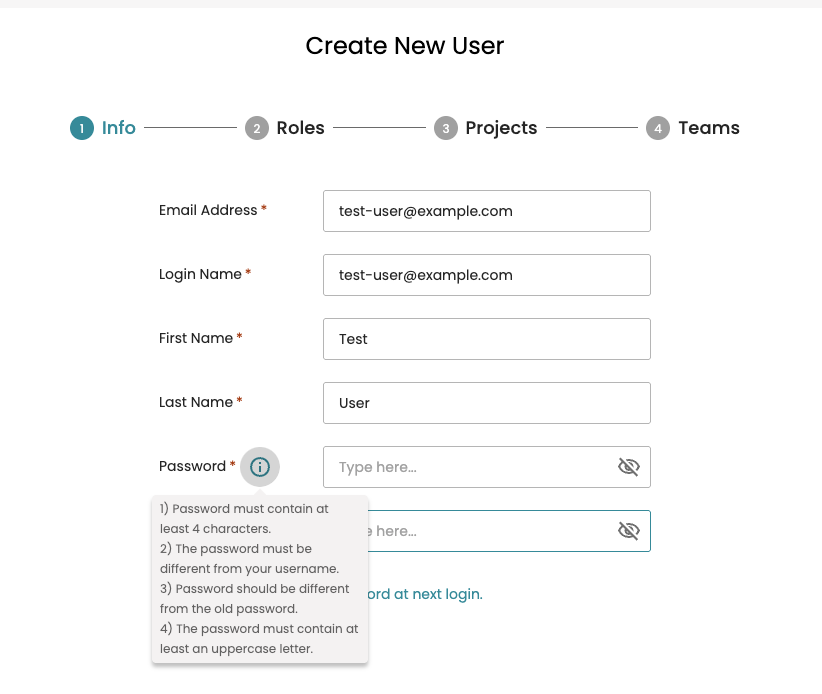
Password rules applied when creating a user in Admin.
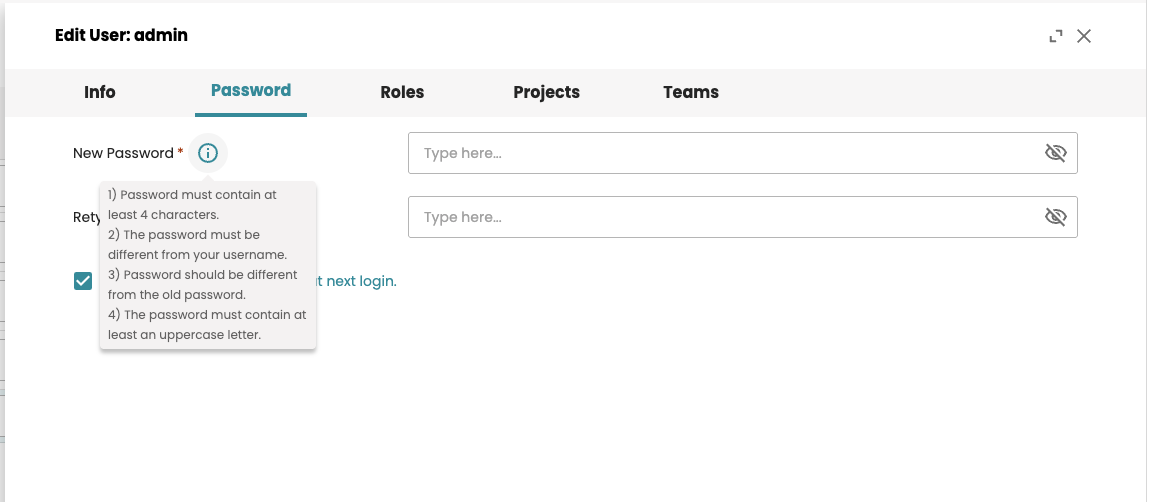
Password rules applied when changing a user's password in Admin.
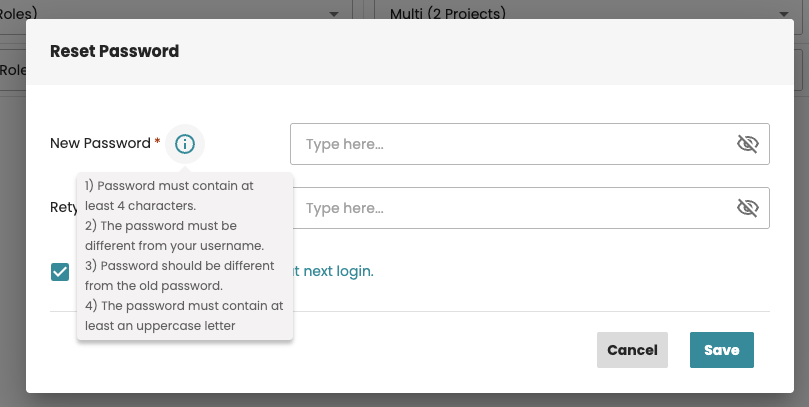
Password rules applied when resetting a user's password in Admin.
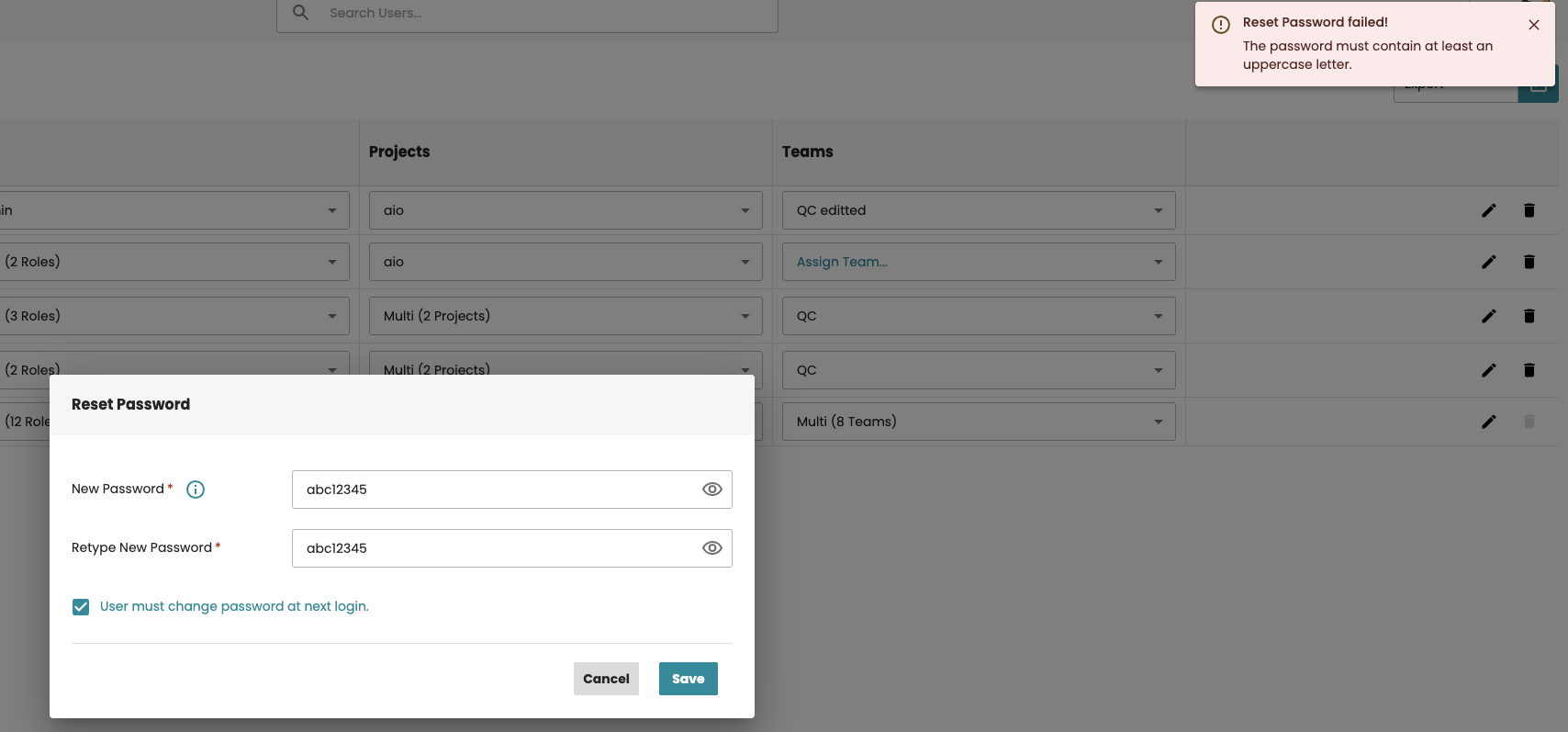
Validation message displayed when a password does not satisfy the configured rules.
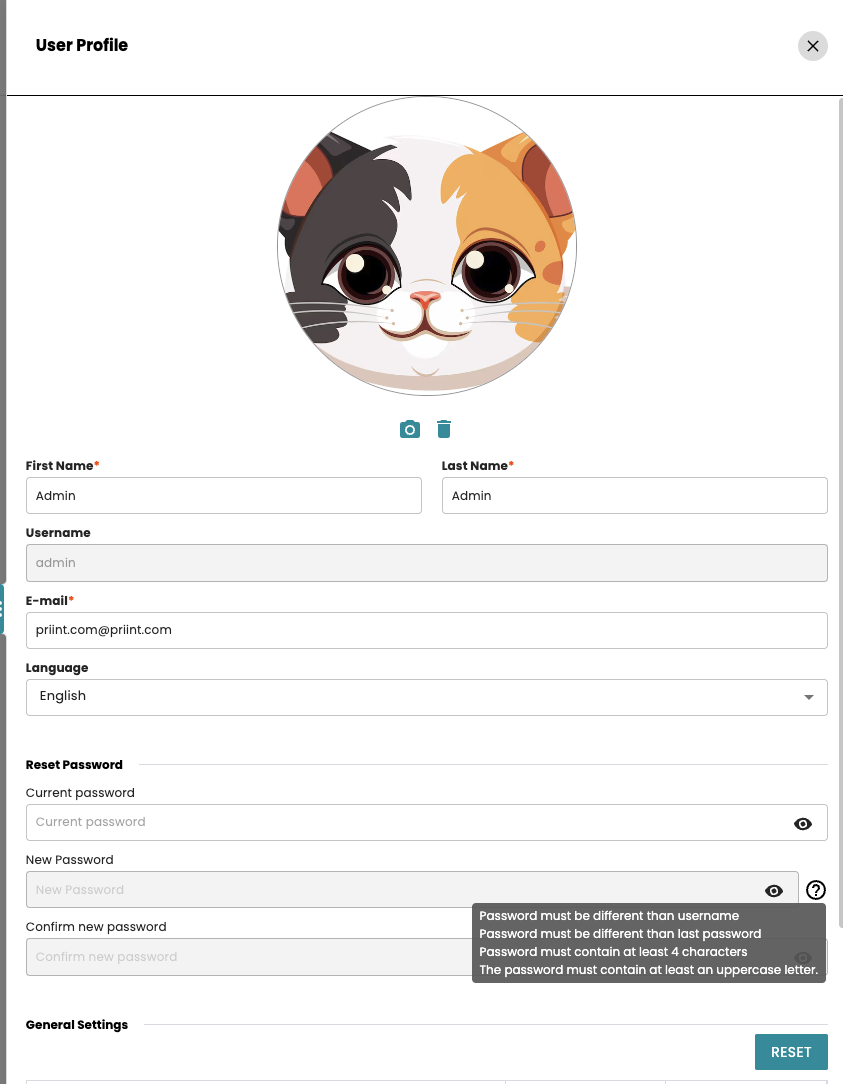
Password rules applied when resetting a user's password in Neowise.